AIPoster.app

AI Poster Maker – make a poster from one sentence

Layout 1/3
Try

AI poster maker

Make a poster from one sentence

AIPoster is a free online poster maker that does the design work for you. Type what your poster is about — a gig, a sale, a workshop, a launch — and it reads out the title, date, place and price, picks a style that suits the subject and lays everything out on a print-ready poster.

You do not need design skills, an account or any software. Change a word, swap a style or drop in a ready-made badge, then download a PNG for social media or a 300 DPI PDF for print.

  • 20design styles
  • 34ready-made components
  • 24poster & social sizes
  • $0no watermark
Start designing
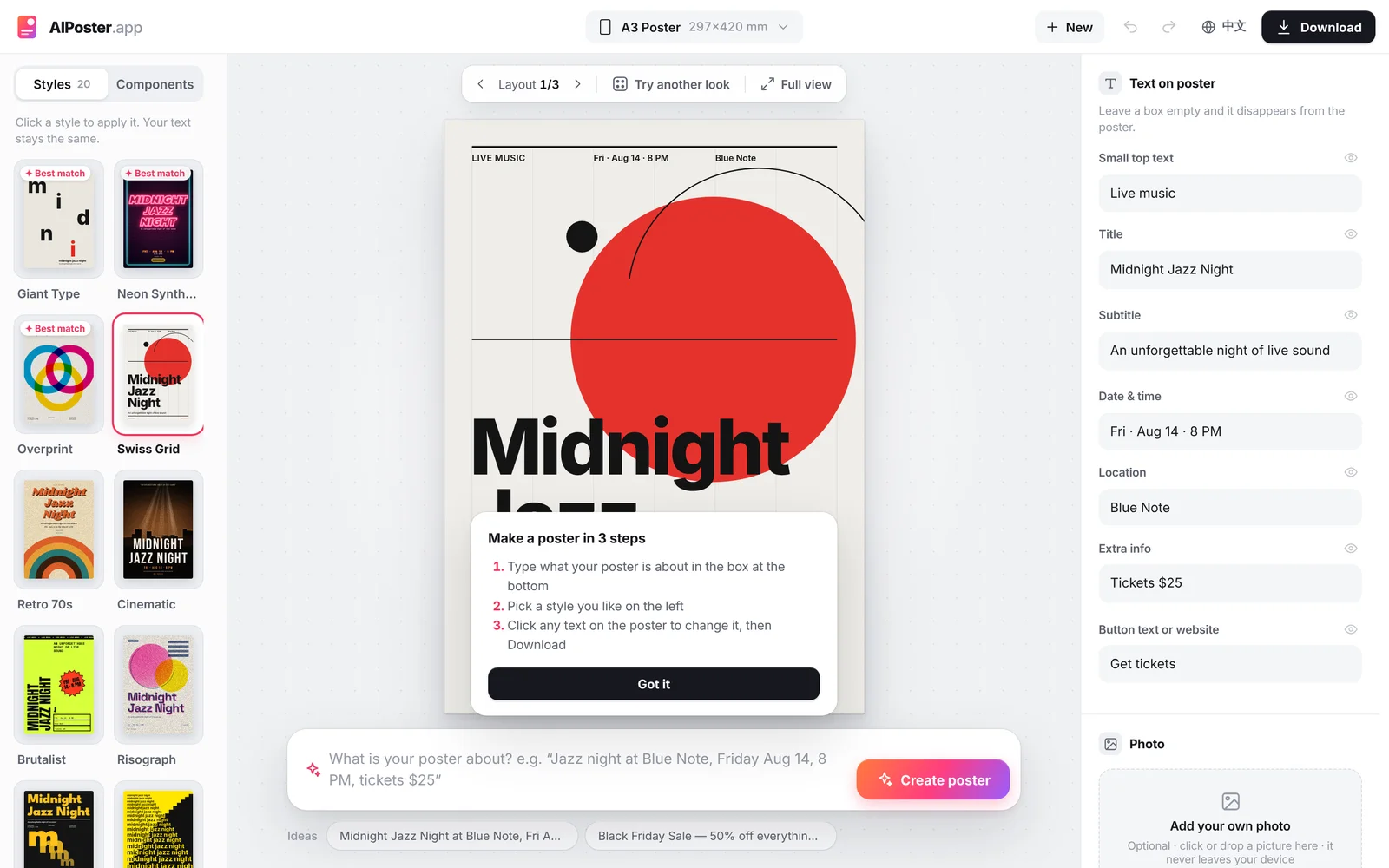
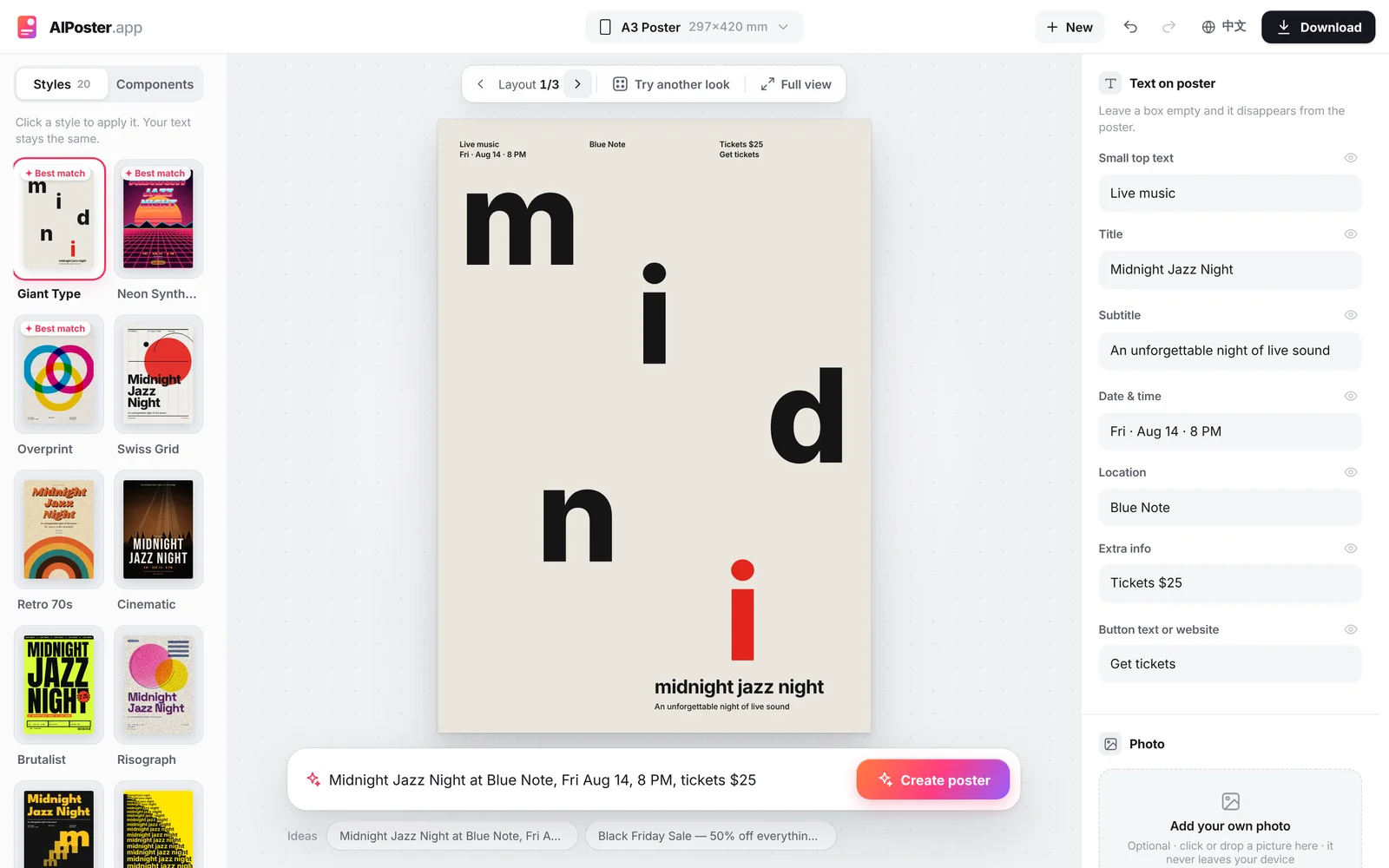
AIPoster studio with a jazz night poster in the Giant Type style
  1. Describe it

    Write one sentence, e.g. “Jazz night at Blue Note, Fri Aug 14, 8 PM, tickets $25”, and press Create poster.

  2. Pick a look

    Browse 20 styles with live previews of your own text, or press Try another look for a new layout and colors.

  3. Download

    Click any text on the poster to fix it, then download a PNG, JPG, WebP or a print-ready PDF.

Features

Everything you need to make a good-looking poster

AIPoster combines an automatic layout engine with real design work: every style, component and size below was designed by hand and adapts to your text.

One sentence in, a designed poster out

The poster generator reads your sentence the way a designer would read a brief. It finds the headline, the date and time, the place, the price and any website, sorts your poster into one of 14 kinds of events and fills the layout in seconds.

  • Understands English and Chinese sentences
  • Recommends the three best-matching styles
  • Every field stays editable afterwards
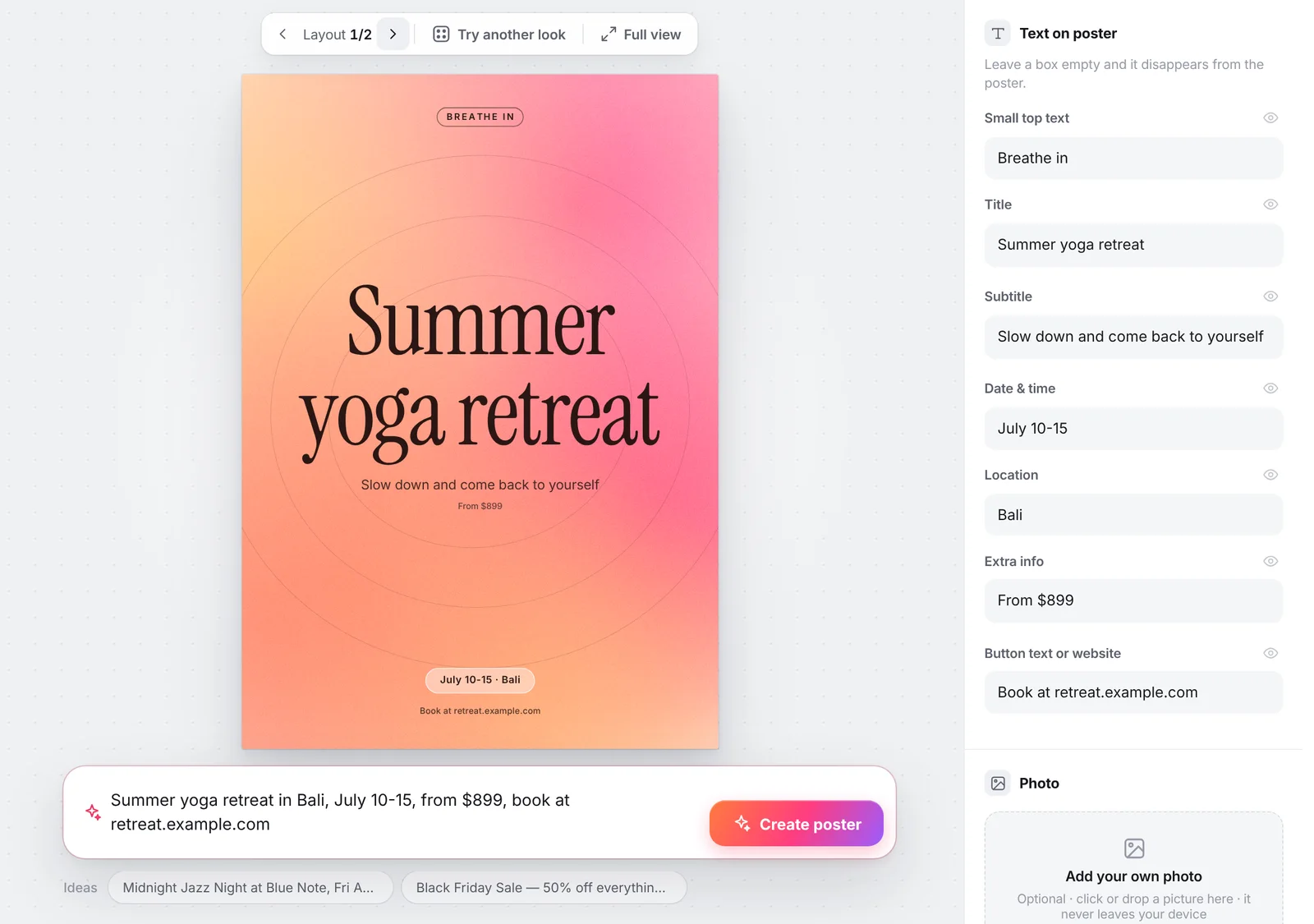
A yoga retreat sentence turned into a poster, with the title, dates, place and price filled in on the right

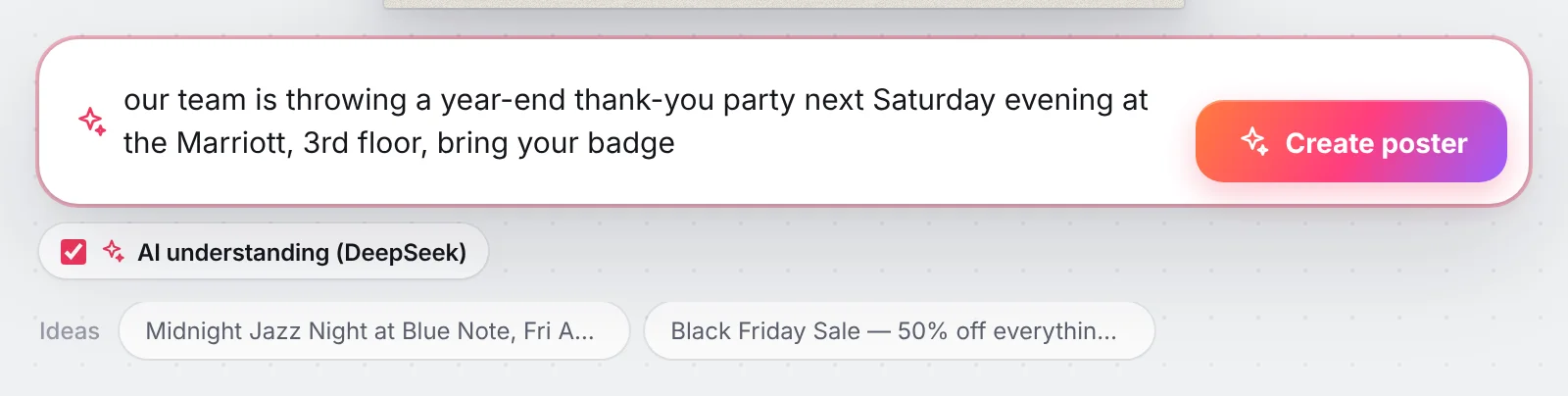
AI understanding with DeepSeek

Sign in with Google to switch on AI understanding. DeepSeek reads sentences written any way you like — casual, long or messy — and turns them into a clean headline, subtitle and details. If anything goes wrong, AIPoster falls back to the built-in reader, so you always get a poster.

  • Free daily AI uses for signed-in users
  • The free poster maker keeps working without an account
The AI understanding switch under the AIPoster prompt box

20 poster styles, from Swiss grid to neon

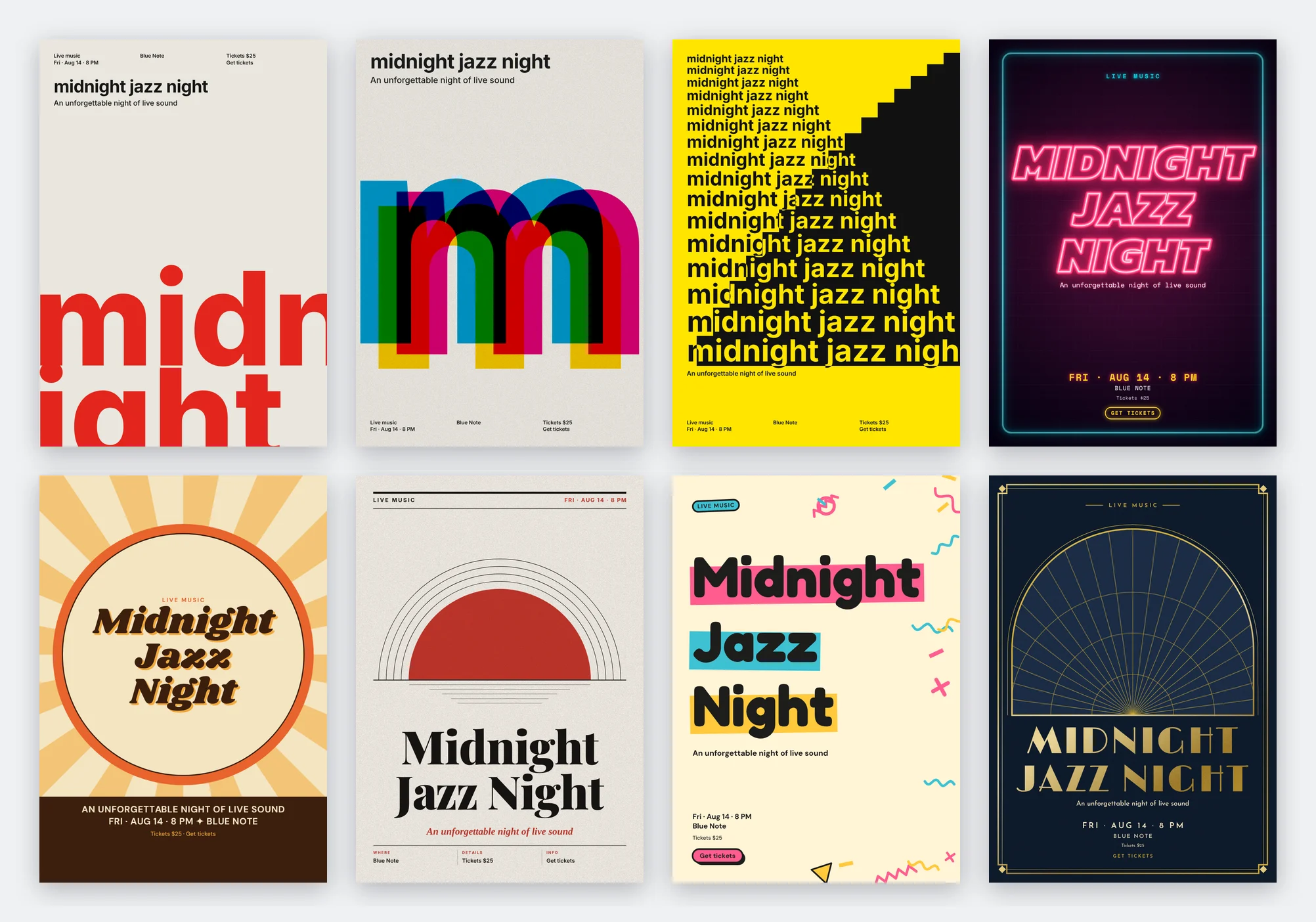
Each style is a complete design system, not a template with blanks: giant cropped type, CMY overprint, cascading type, Bauhaus shapes, risograph halftones, art deco, synthwave neon, cinematic film posters and more. Most styles have several layouts and up to five color palettes, and you can fine-tune every color.

  • Live previews use your own text
  • Try another look reshuffles layout and colors
  • 12 font pairings plus each style’s own fonts, and a title size slider
The same jazz night text shown in eight different AIPoster styles

34 ready-made design components

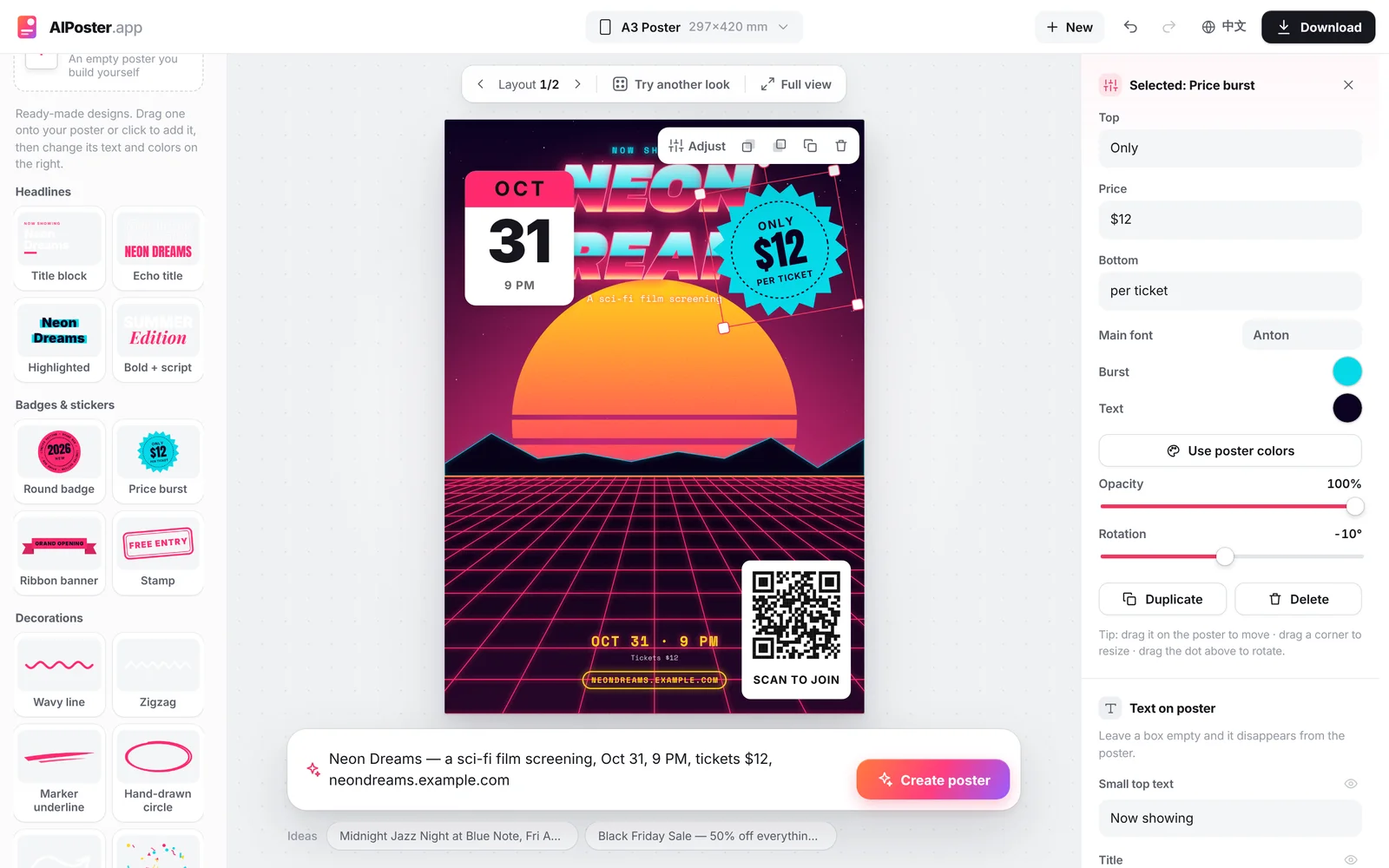
Drag finished components onto your poster instead of drawing shapes: a calendar date card, price burst, ticket, coupon, round badge, ribbon, stamp, scannable QR code, speaker card, quotes, plus decorations such as confetti, sparkles, sun rays and frames. They pick up your poster’s colors and text automatically.

  • Move, resize and rotate with snapping guides
  • Change each text and color in the side panel
  • Start from a blank canvas if you prefer
A neon film poster with a date card, price burst and QR code added from the components library

Click any text on the poster to edit it

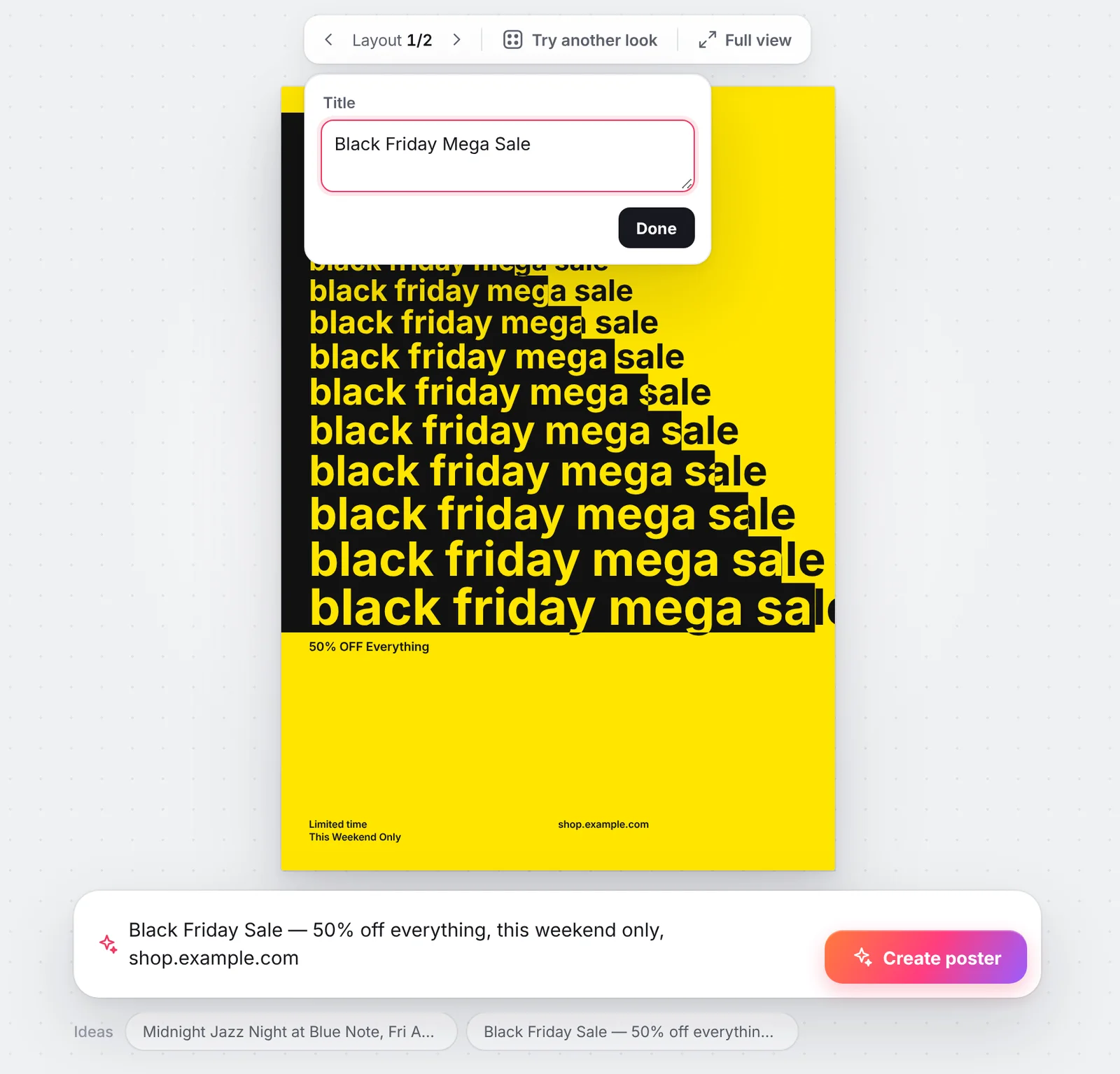
Hover over the poster and the text under your cursor is outlined. Click it and type — the layout refits as you write. Leave a field empty and it disappears from the design. Undo and redo cover every change.

Editing the title of a Black Friday poster directly on the canvas

24 sizes for print and social media

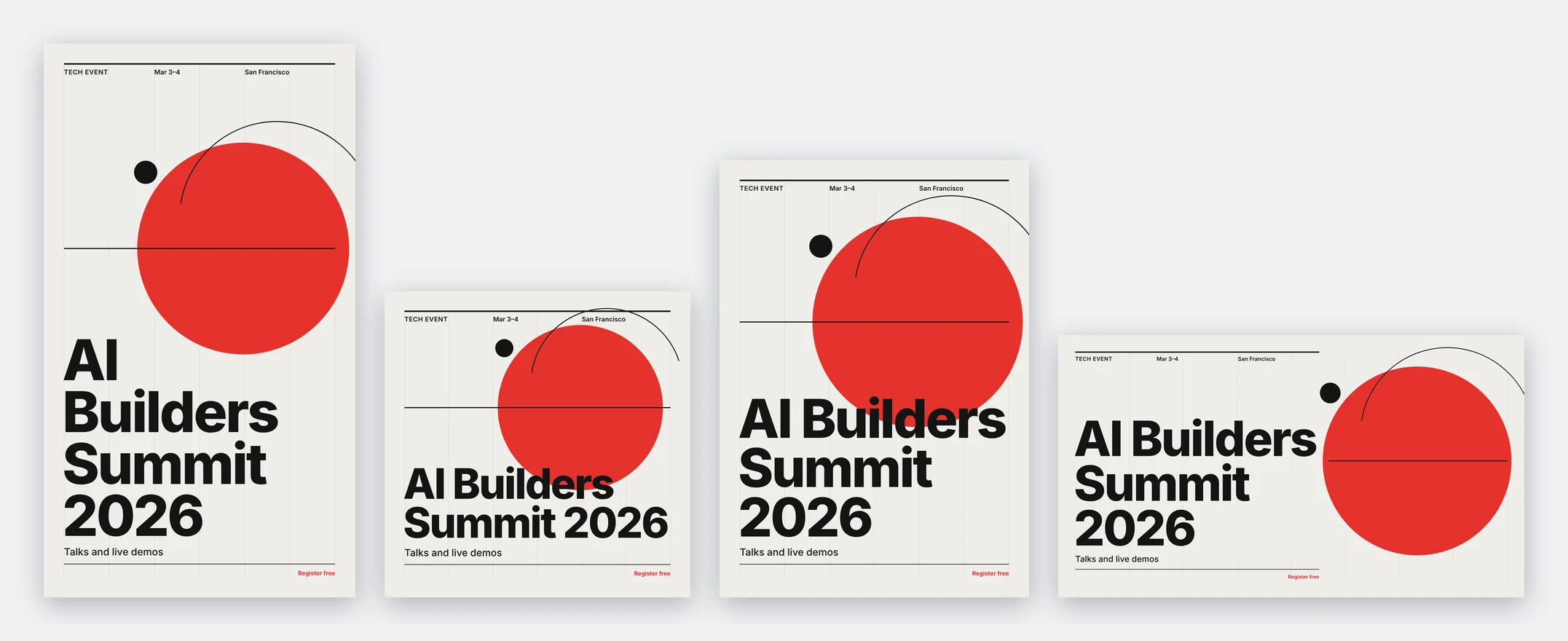
Every platform wants a different shape, so one design adapts to all of them. Switch between A4, A3, A2, A5, US Letter, Tabloid, 18×24″ and 24×36″ posters, Instagram posts, portraits and Stories, TikTok, Xiaohongshu (RED), Pinterest, X, LinkedIn, Facebook event covers, YouTube thumbnails and banners — or enter a custom size.

One conference poster adapted to a Story, a square post, an A3 poster and a 16:9 image

Download PNG, JPG, WebP or print-ready PDF

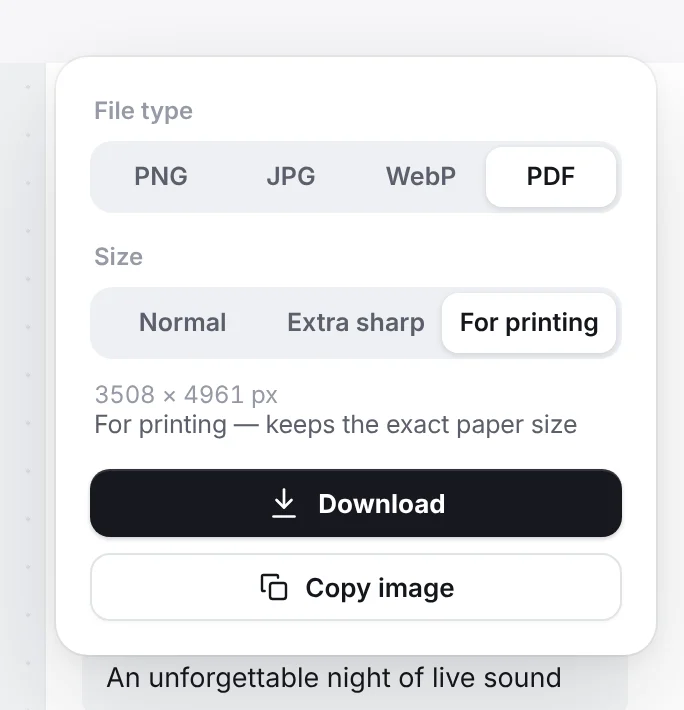
Choose Normal, Extra sharp or For printing. Print formats export at 300 DPI, and the PDF keeps the exact paper size, so an A3 poster prints at A3. You can also copy the image straight to your clipboard.

AIPoster download options: PNG, JPG, WebP, PDF and print size

Free, no watermark, private by default

The poster maker runs entirely in your browser. There is no sign-up and no watermark, your photos never leave your device, and your work is saved automatically so you can close the tab and come back later.

The three-step guide shown on a first visit to AIPoster

Works on your phone, in English and Chinese

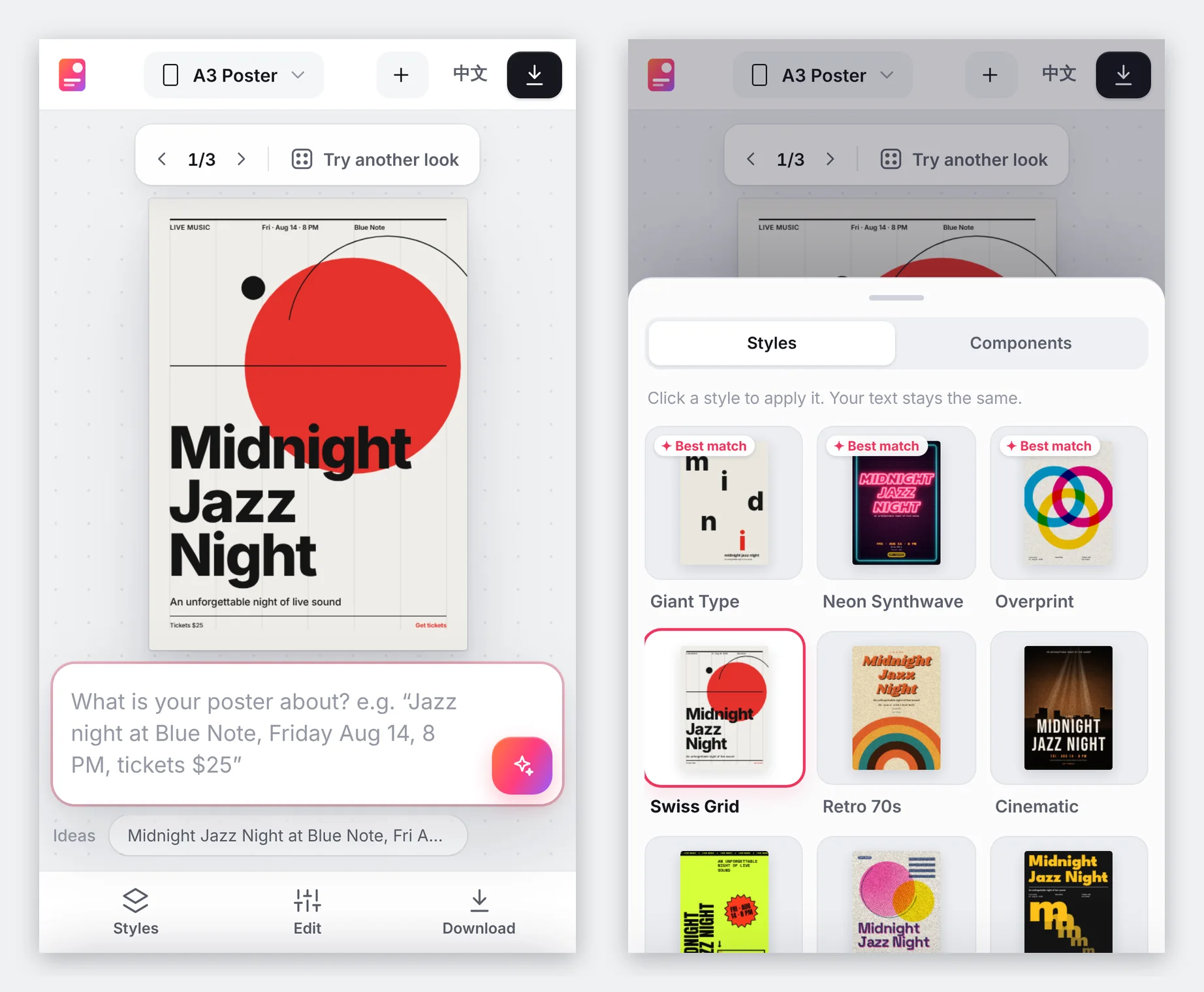
The studio adapts to phones and tablets with bottom sheets for styles and editing. Switch the interface between English and 中文 at any time; Chinese titles are set with proper Chinese fonts and line breaks.

AIPoster on a phone: the poster canvas and the styles sheet

Use cases

What you can make with the AI poster generator

Anything that needs to be seen: on a wall, in a feed or in a group chat.

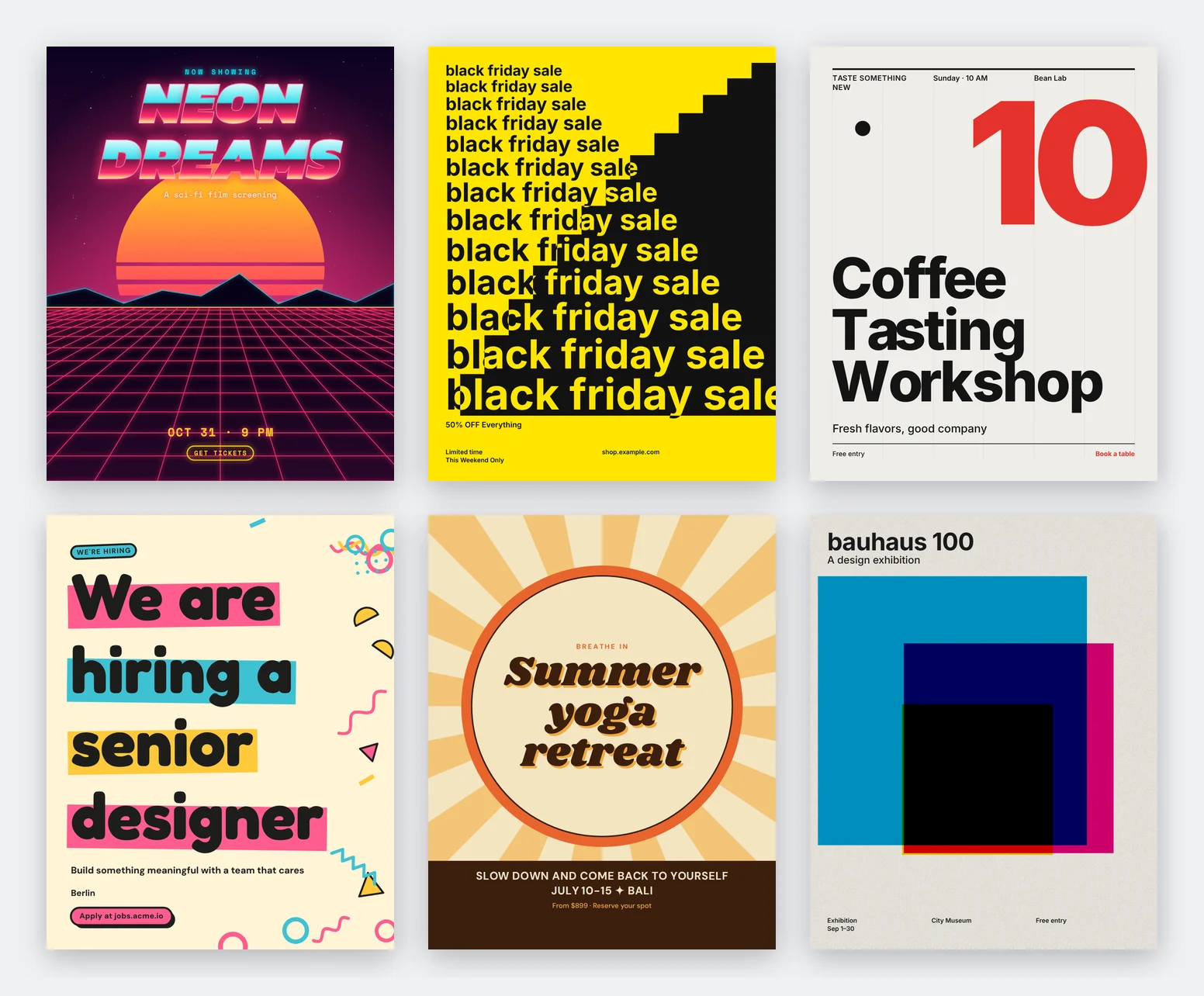
Six example posters made with AIPoster: film night, Black Friday sale, coffee workshop, hiring, yoga retreat and design exhibition
  • Event and concert posters

    Gigs, parties, film nights and festivals with the date, venue and ticket price up front.

  • Sale and promotion posters

    Black Friday, opening offers and discounts with price bursts, coupons and tags.

  • Social media posts

    Instagram posts and Stories, TikTok covers, Xiaohongshu images and YouTube thumbnails.

  • Workshops, classes and talks

    Clear, calm layouts with speaker cards and a QR code for sign-ups.

  • Hiring and announcements

    We’re hiring posts, launches and notices for your team or community.

  • Exhibitions and print

    Gallery posters and flyers exported at 300 DPI in A-sizes or US sizes.

FAQ

Questions about AIPoster

Is AIPoster really free?

Yes. The poster maker is free to use with no sign-up and no watermark, including print-ready PDF downloads. AI understanding, when it launches, will need a Google sign-in and includes free daily uses.

How does the AI poster maker work?

Type a sentence about your poster. AIPoster pulls out the title, date, time, place, price and links, works out what kind of event it is, recommends matching styles and lays everything out. You can then edit any text, change the style or add components.

Do I need design skills?

No. Every style, color palette and component is pre-designed and adapts to your text, so a poster looks balanced even if you only change the words.

What sizes can I make?

There are 24 presets — A2 to A5, US Letter, Tabloid, 18×24″ and 24×36″ posters, plus Instagram, Stories and TikTok, Xiaohongshu, Pinterest, X, LinkedIn, Facebook and YouTube formats — and you can enter any custom size in pixels.

Can I print my poster?

Yes. Choose PDF and For printing: print formats are exported at 300 DPI and the PDF page matches the paper size exactly, ready for a print shop or your own printer.

Are my photos uploaded anywhere?

No. Photos you add are processed in your browser and stay on your device. Your designs are saved in your browser’s local storage.

Can I use the posters for my business?

Yes. The posters you make are yours to use, including commercially. The fonts are open-source Google Fonts and there is no watermark to remove.

Does AIPoster support Chinese?

Yes. The interface can be switched to Chinese, and Chinese titles, dates and places are recognised and set with Chinese fonts and correct line breaks.

Your next poster is one sentence away

Free, no watermark, no sign-up. Scroll up and start typing.

Make a poster now